
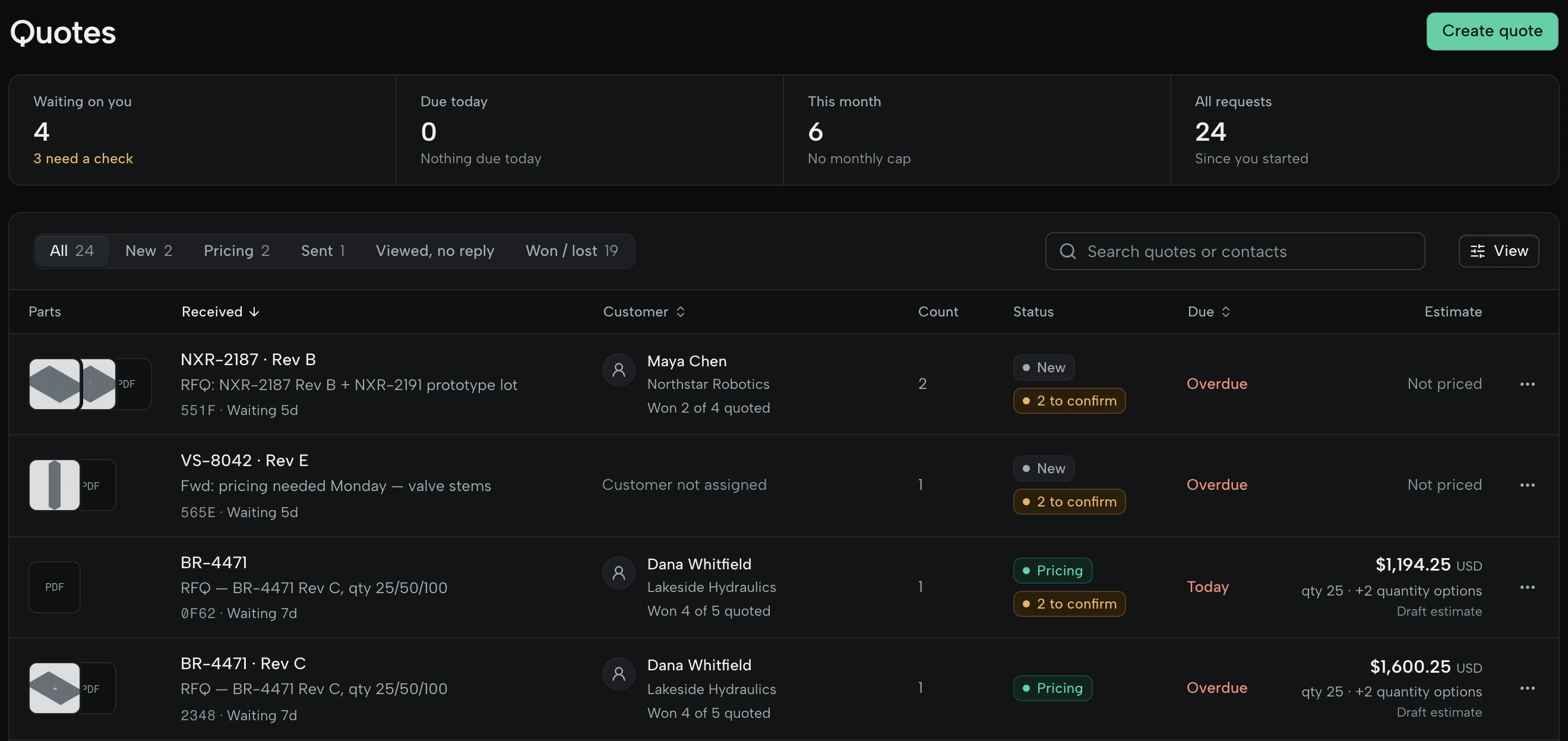
Four ways in, one queue
Forward the buyer’s email, take requests through a form on your website, drop the files in, or paste the text. Each becomes a worksheet with its drawings attached.
How each way in worksFrom the buyer’s email to a won order, each feature on the screen it lives on.
However the buyer sends it, it arrives as a worksheet with its drawings attached.
Forward the buyer’s email, take requests through a form on your website, drop the files in, or paste the text. Each becomes a worksheet with its drawings attached.
How each way in works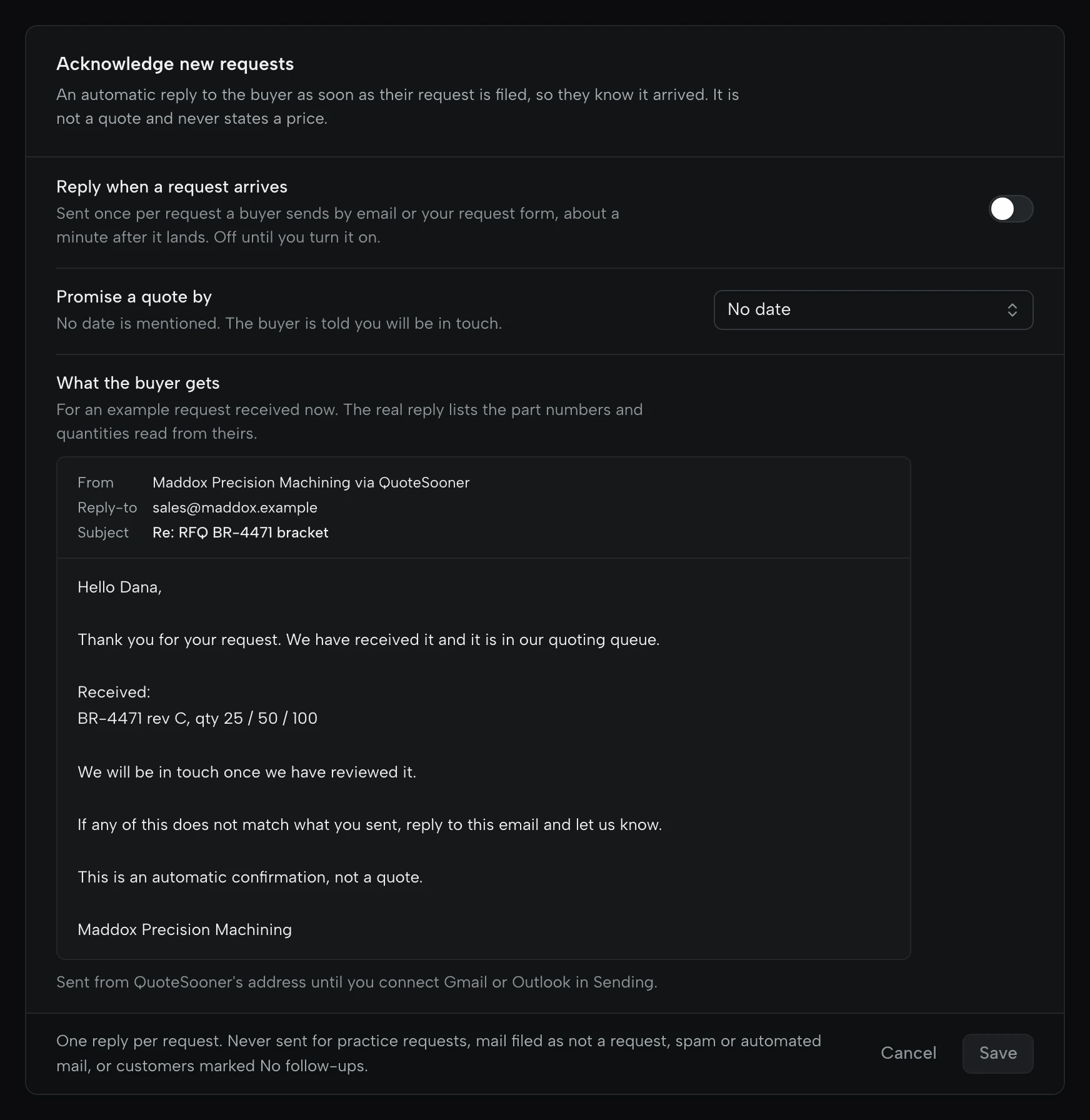
An automatic note tells the buyer their request arrived, lists the part numbers read from it, and can promise a quote within a set number of business days. It never states a price, and it’s off until you turn it on.
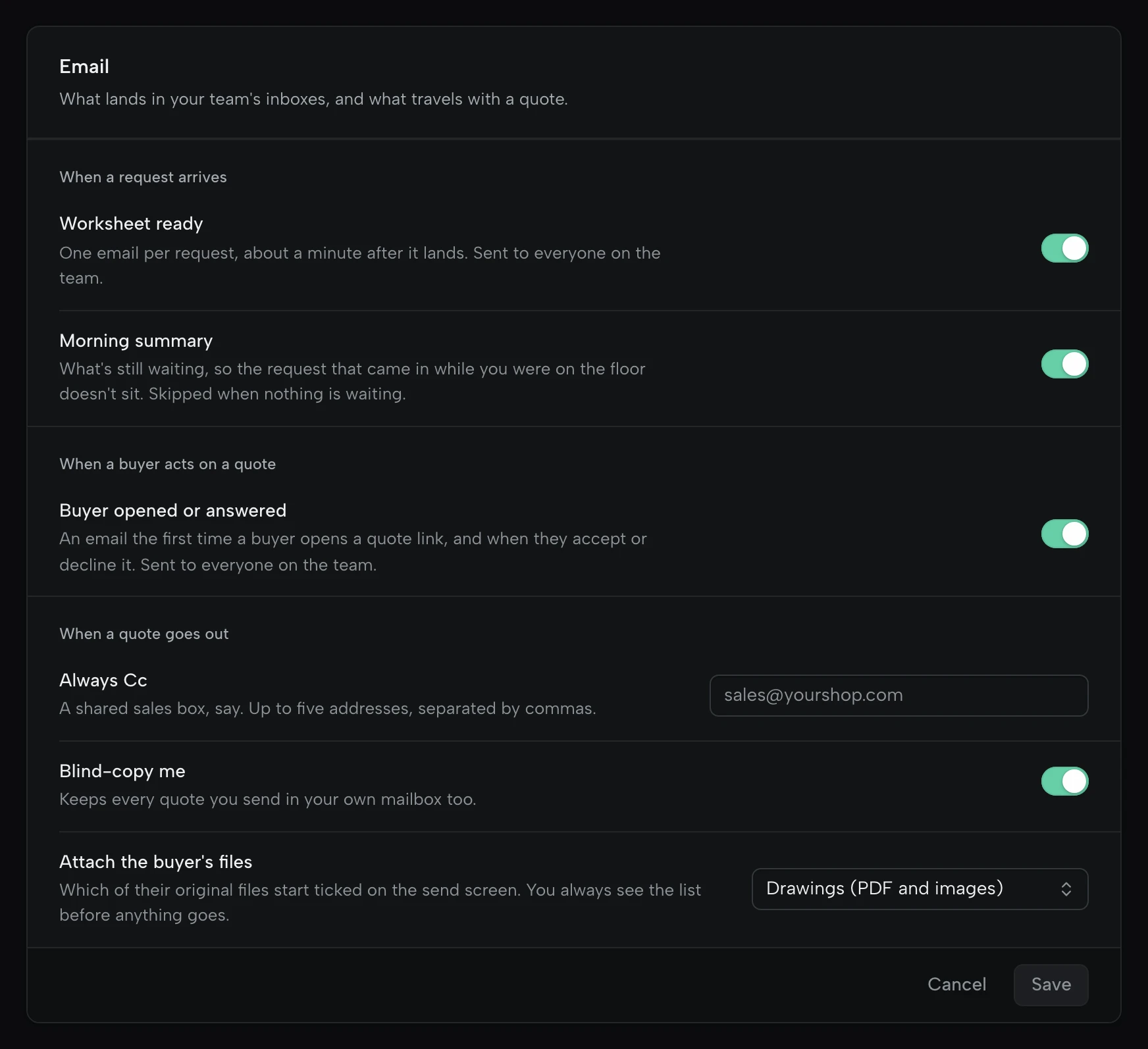
An email when a worksheet is ready, a morning summary of what’s still waiting, and a note the first time a buyer opens or answers a quote.
What the drawing says, where it says it, and what still needs a person.
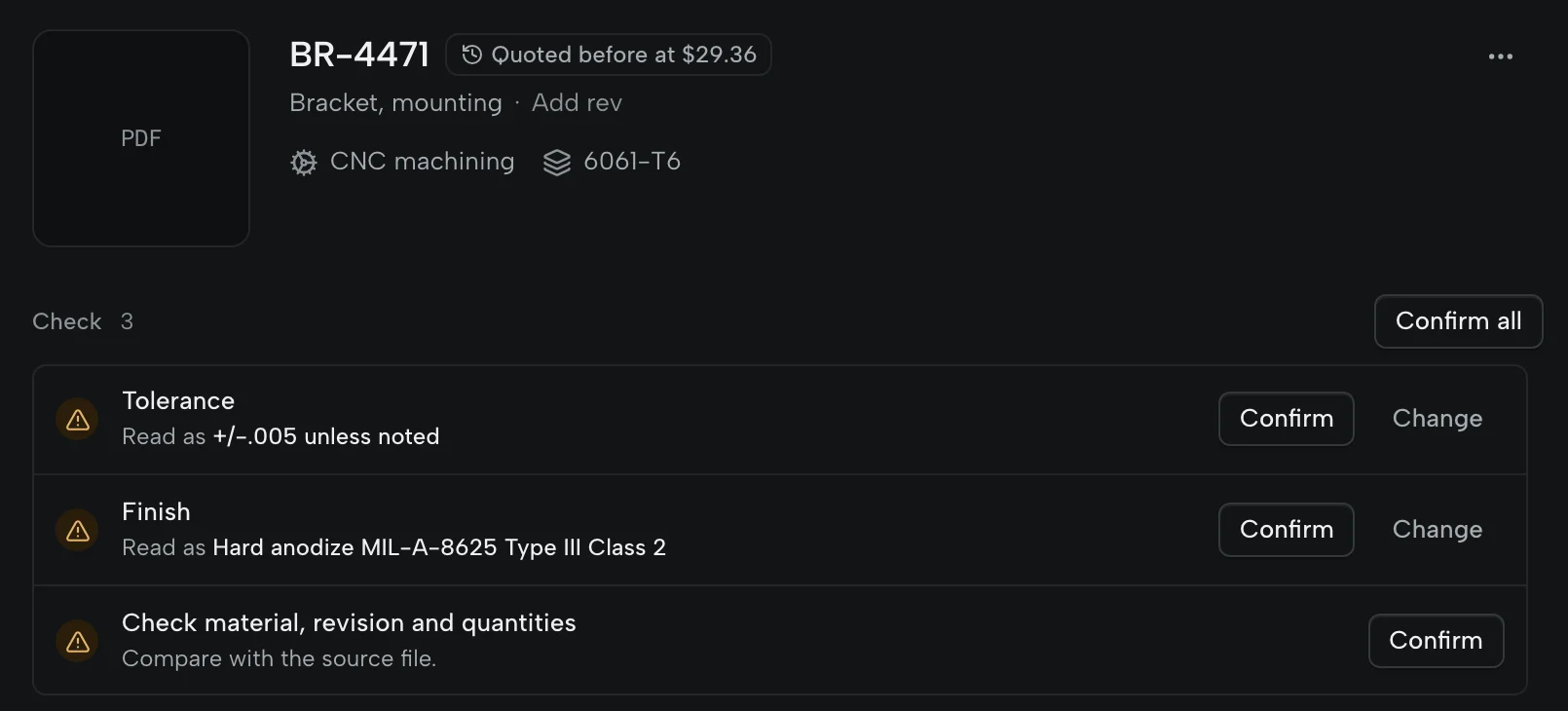
Material, revision, quantities, tolerances and finish are read with the page and words they came from. A value it can’t point to becomes a check, and the quote can’t go until every check is settled.
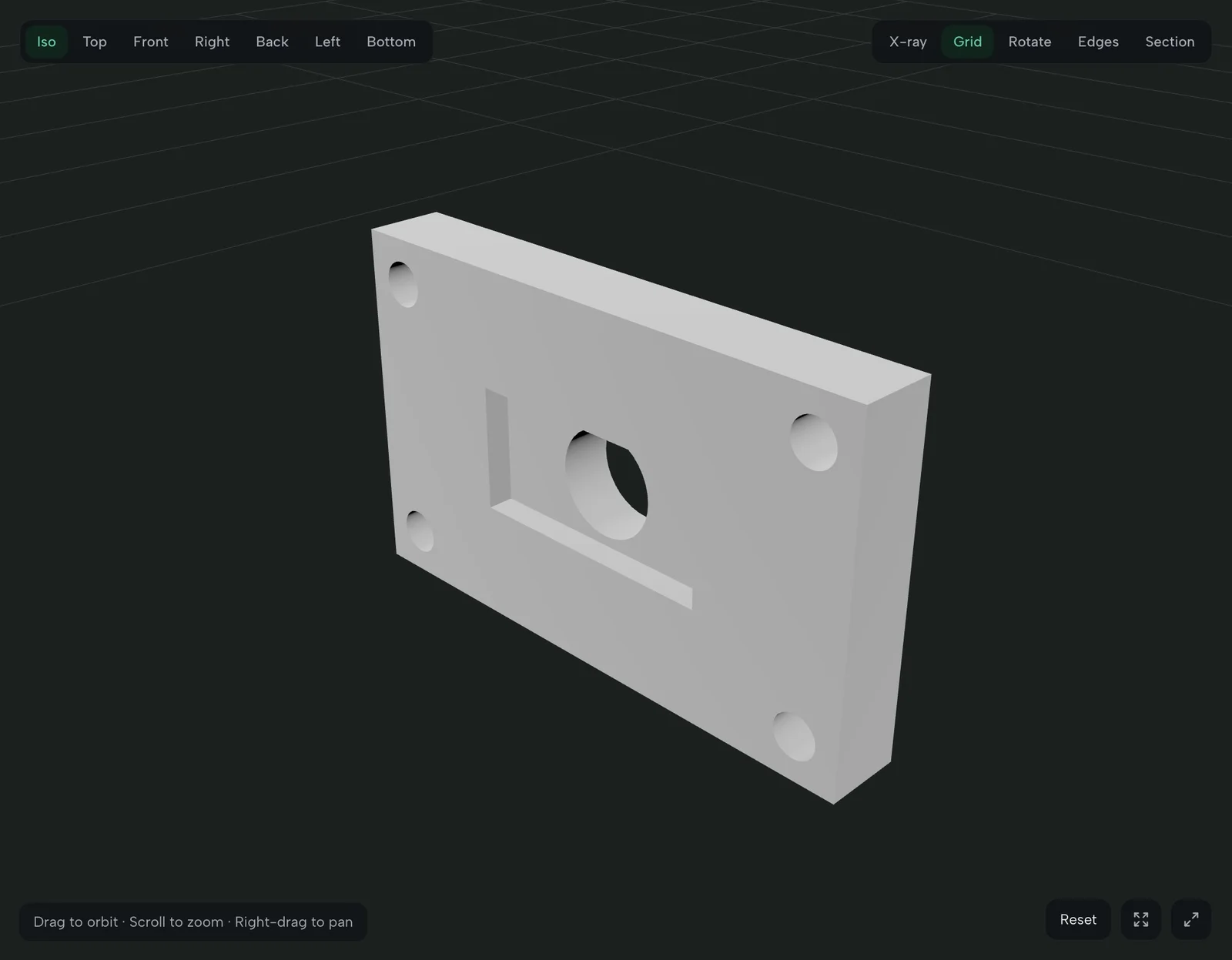
STEP, IGES, STL and 3MF open beside the drawing, up to 1,000 MB a file. On STEP and IGES, holes, pockets and setups are recognised, with the envelope, volume and a section cut.
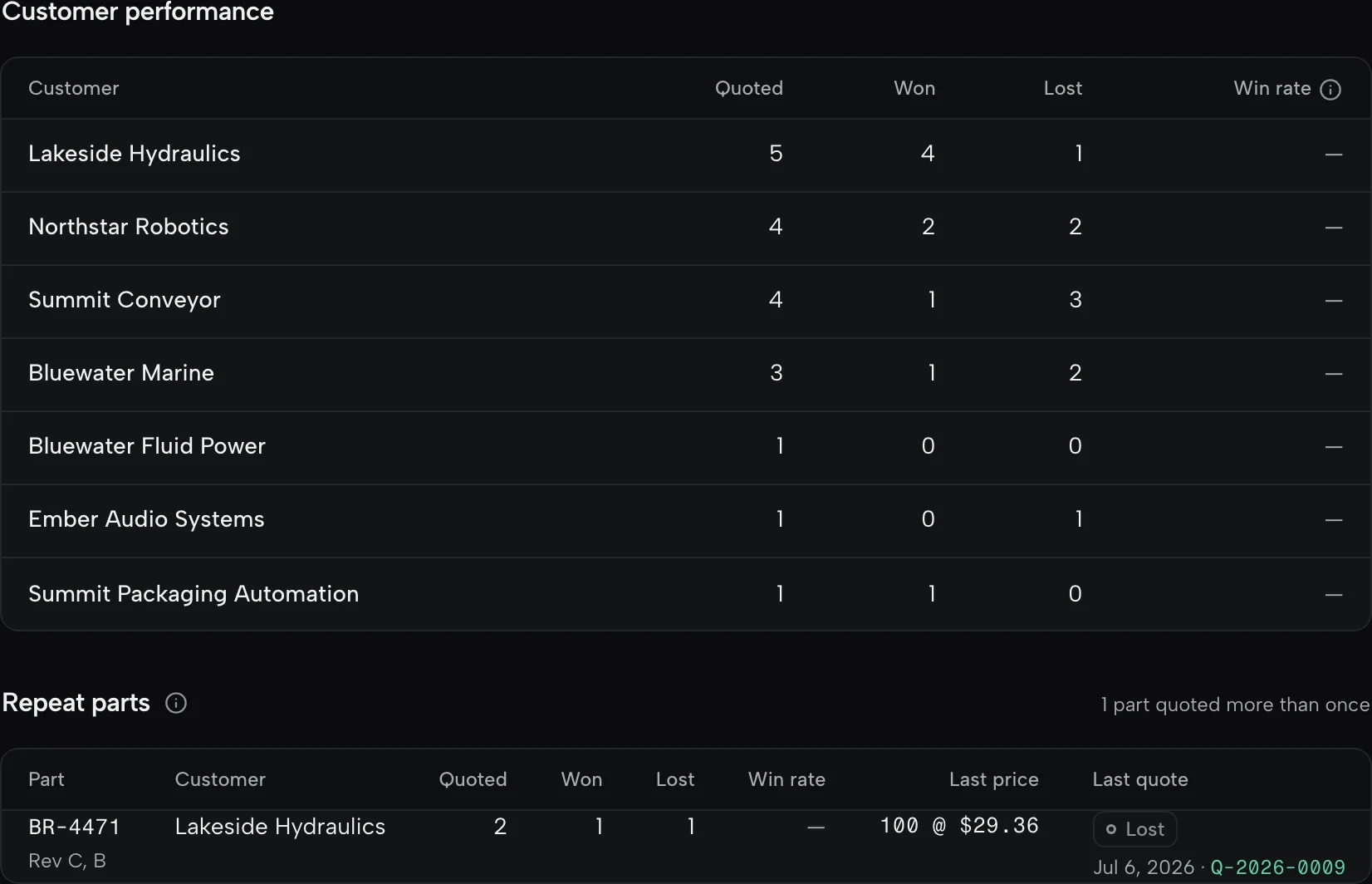
A part you quoted before opens with last time’s price and how it went. The same revision arriving with a different file is called out before you reuse the price.
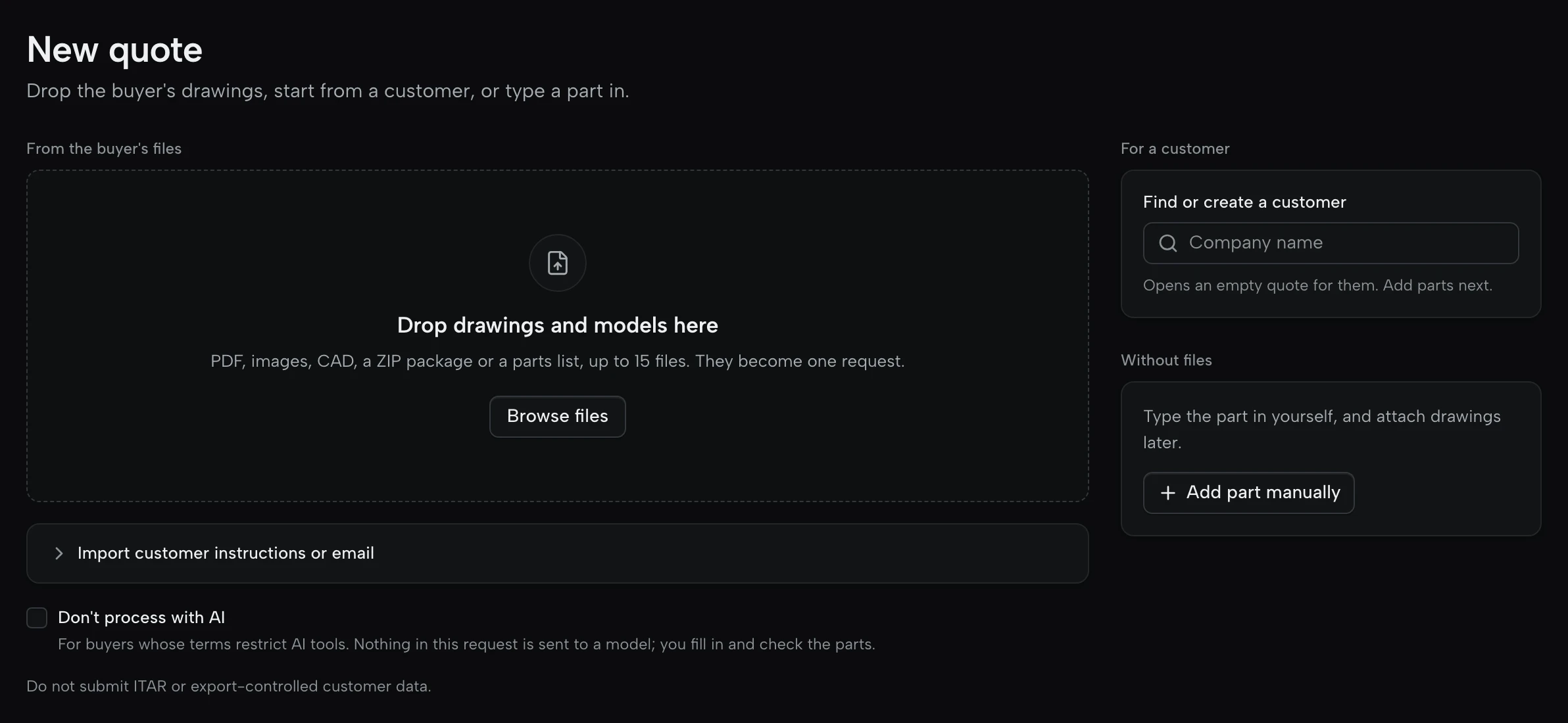
Turn AI off for one request, or for every request from a customer. Nothing in it goes to a model; you fill in the parts yourself.
Your machines, your operations and your past quotes set the number.
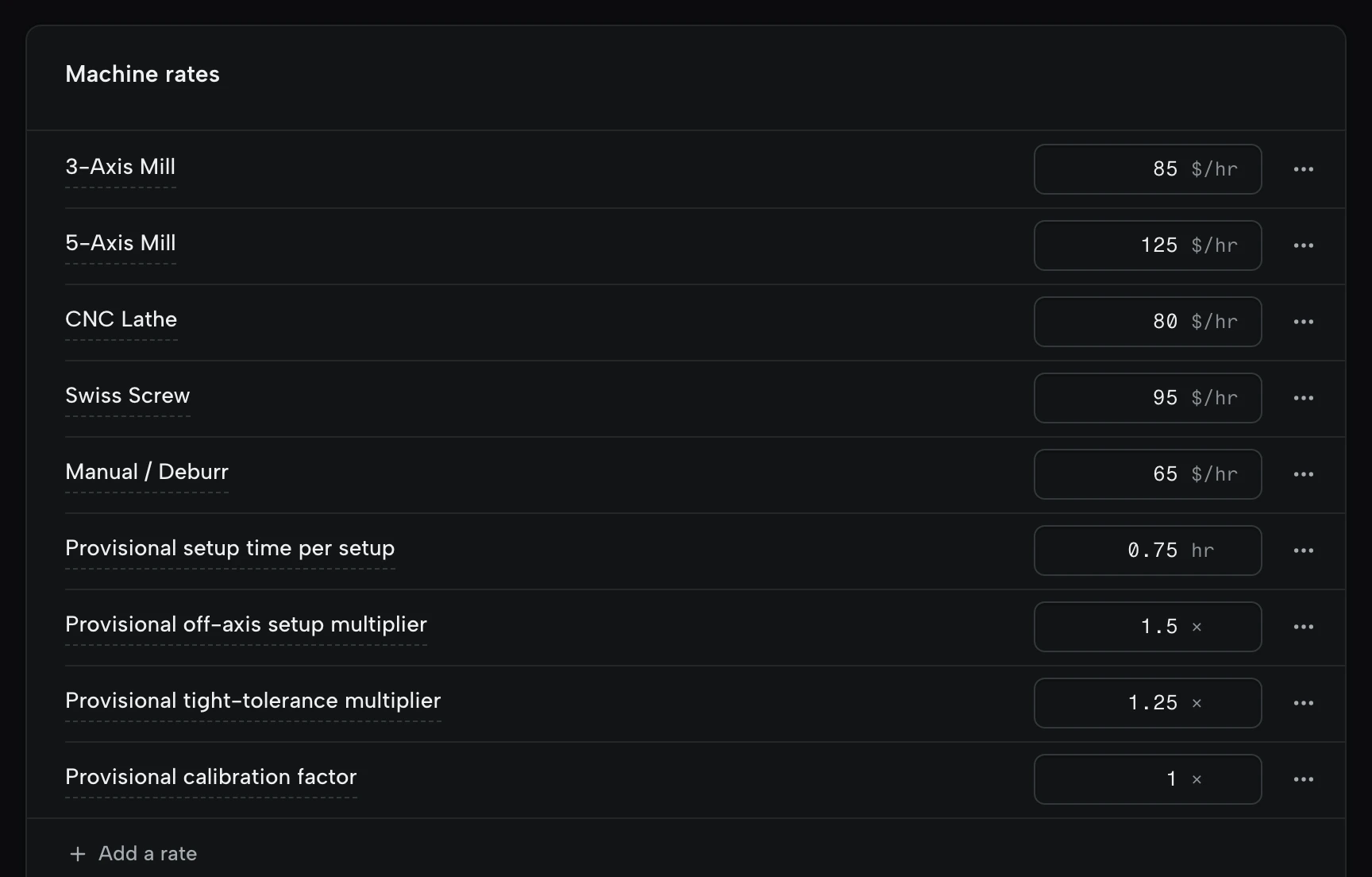
Each machine at its own hourly rate, with setup, labour and calibration lines. Every rate sheet you save is kept, and any earlier one can be restored.
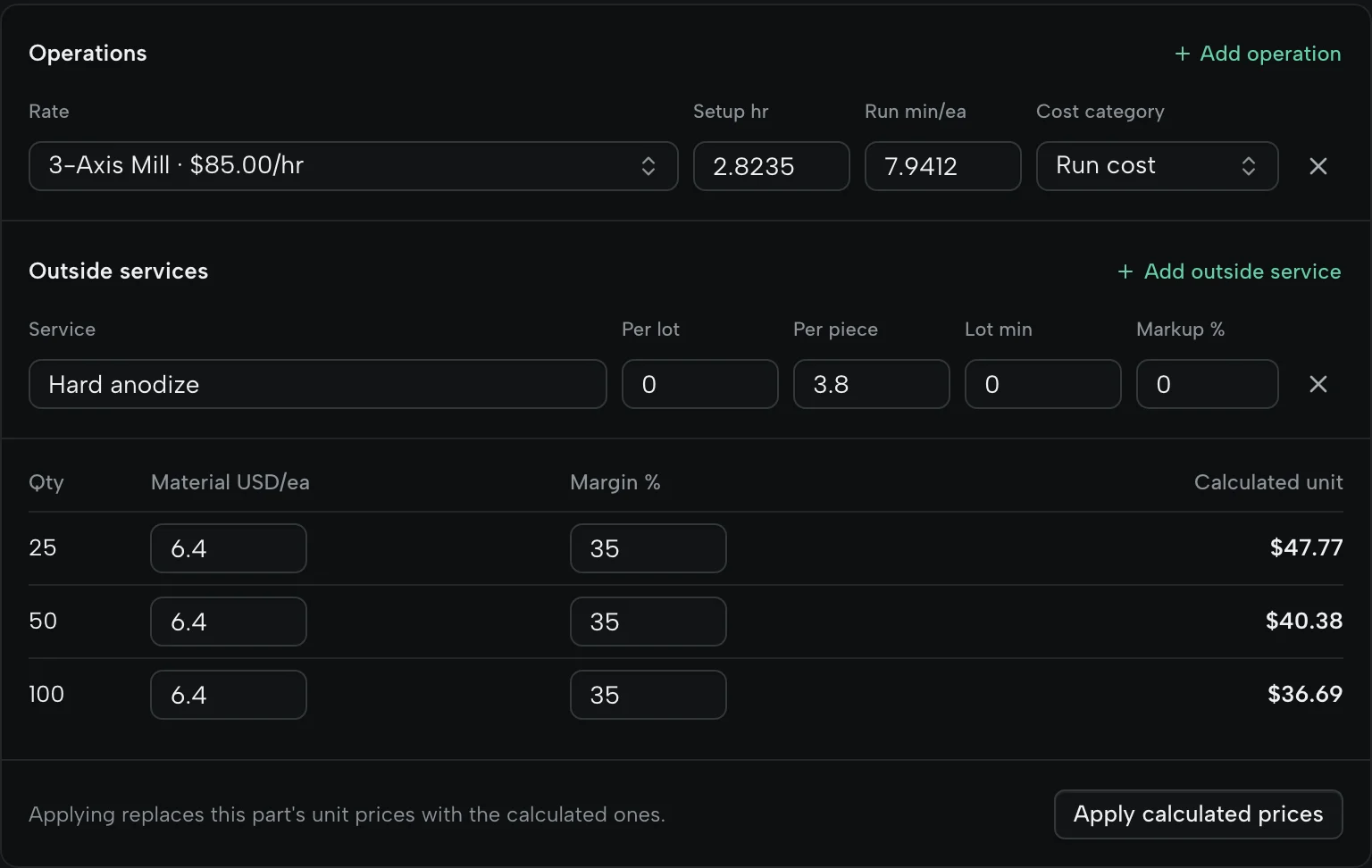
Setup and run time at your rates, outside services with their lot minimums, and material for each quantity. Castings, forgings and customer-supplied material come off the price.

Each quantity carries its own unit price, with setup spread across that break, so 25 pieces aren’t priced like 100.
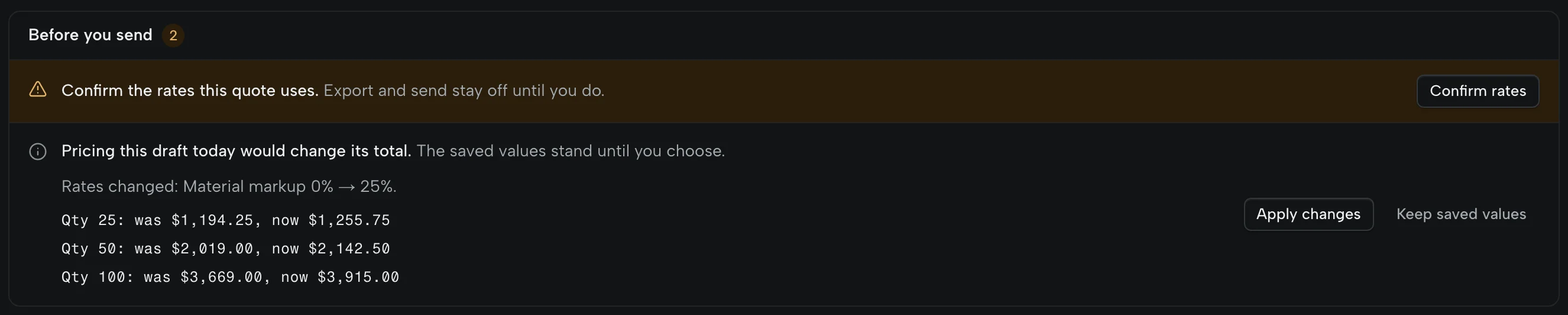
When your rates change after a draft was priced, the worksheet shows what each quantity would become. The saved price stands until you apply the change or keep it.
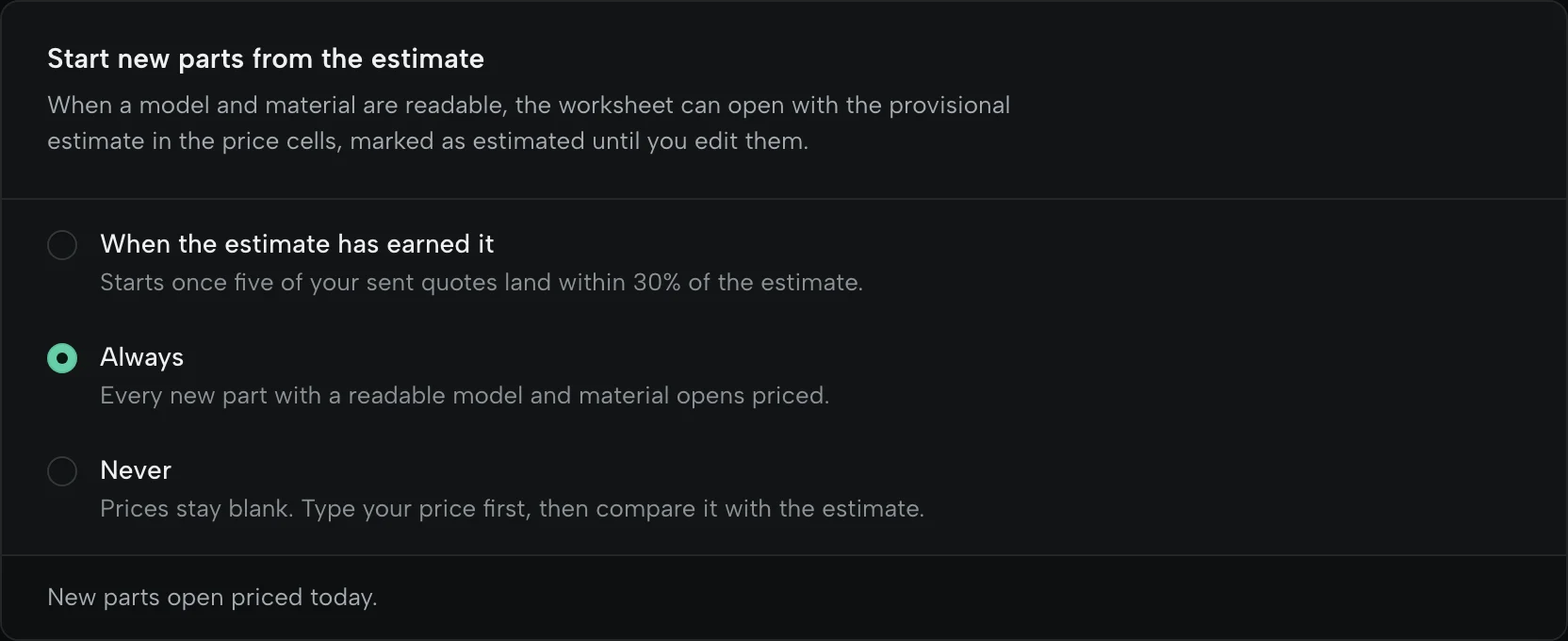
A price from your rates and the part’s geometry, marked as an estimate. By default it fills in only once it has come within 30% of five quotes you sent.
Your letterhead, your terms, and an answer that comes back to the quote.
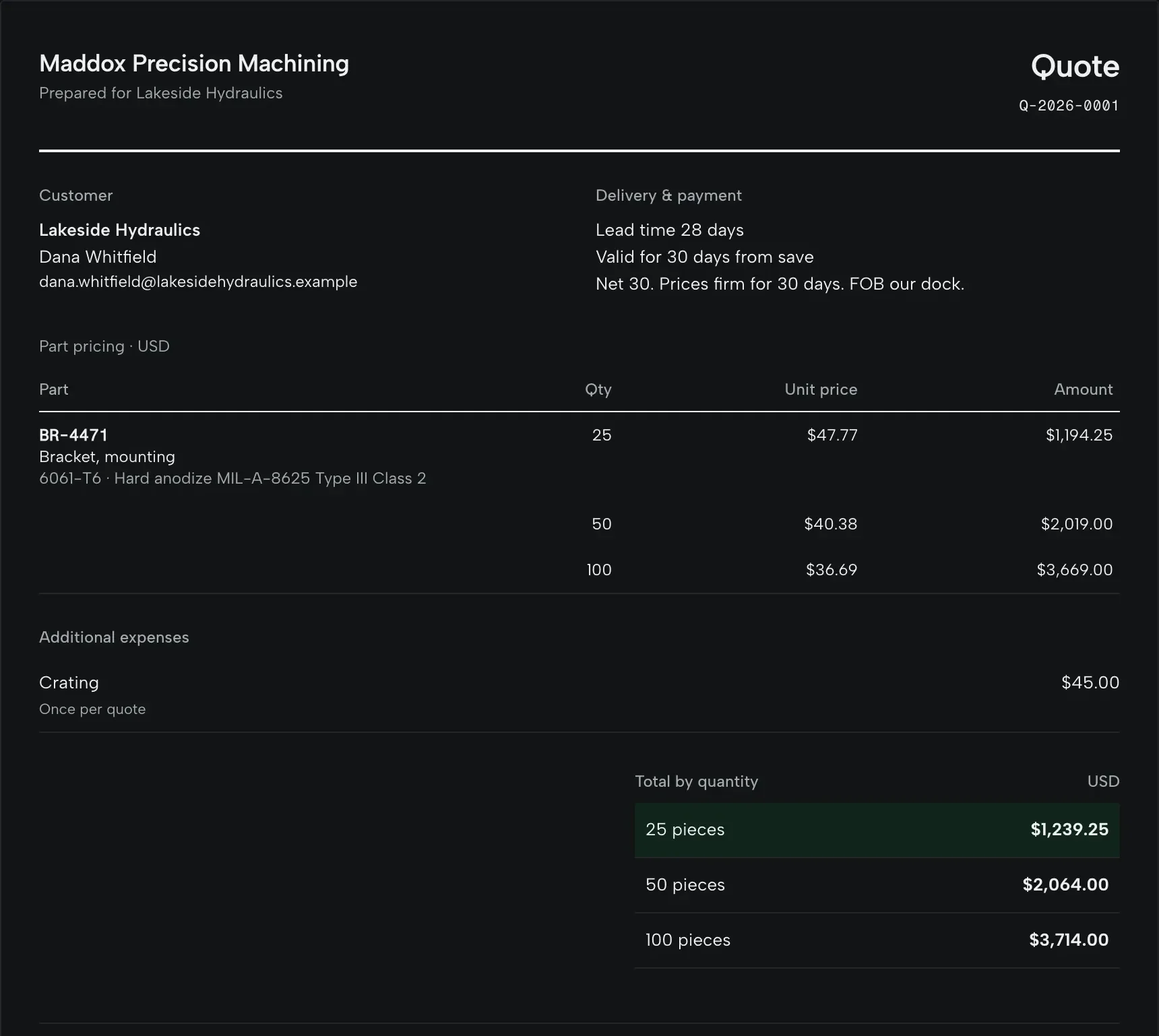
Your logo, terms and lead time, with up to three lead times at their own prices. The buyer accepts on a web page with a PO number, or declines with a reason.
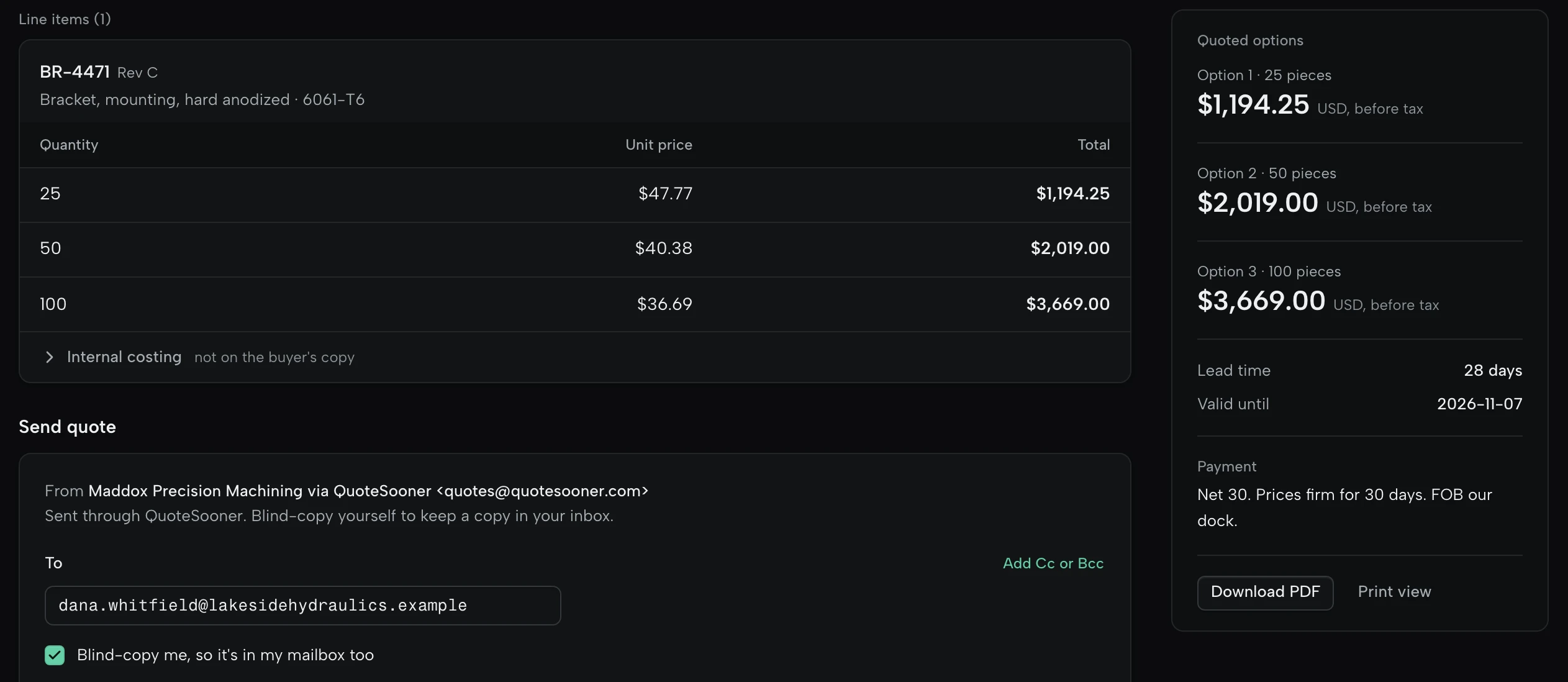
Quotes go out from your Gmail or Outlook and land in its Sent folder. QuoteSooner asks to send, never to read. On Free they go as your shop via QuoteSooner, with replies to you.
Worked out from the quotes you actually sent.
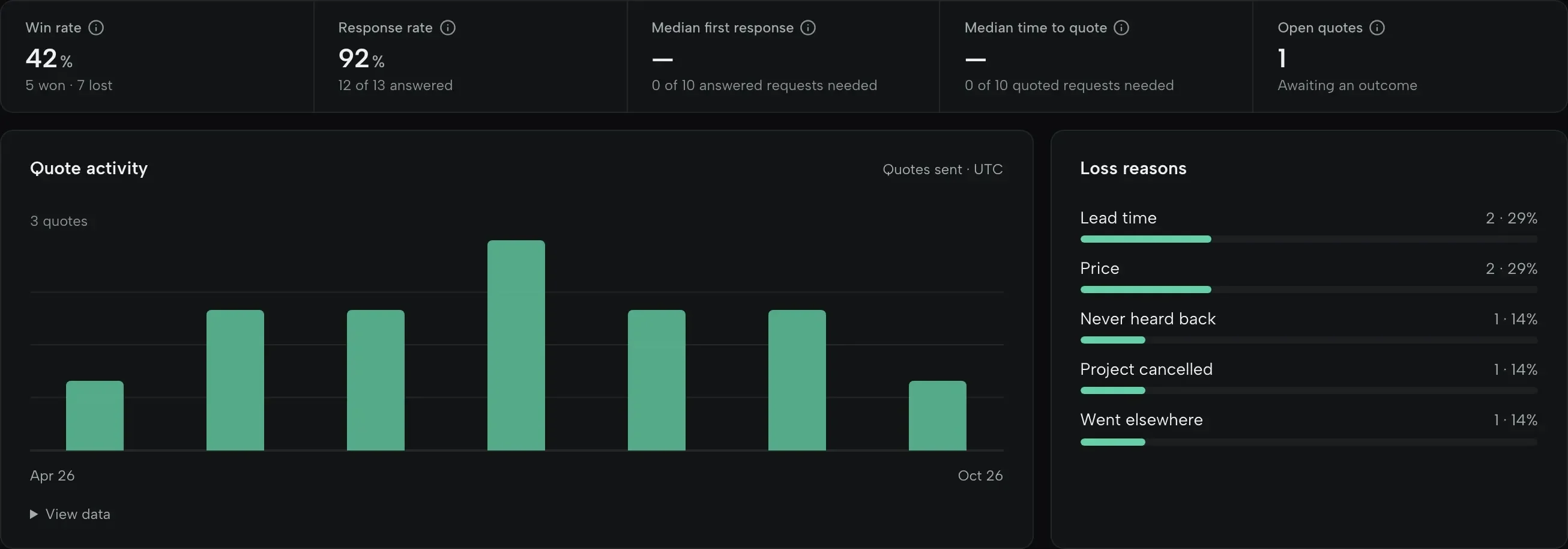
Win rate, loss reasons, no-quotes by reason and quoted value, worked out from the quotes you actually sent.
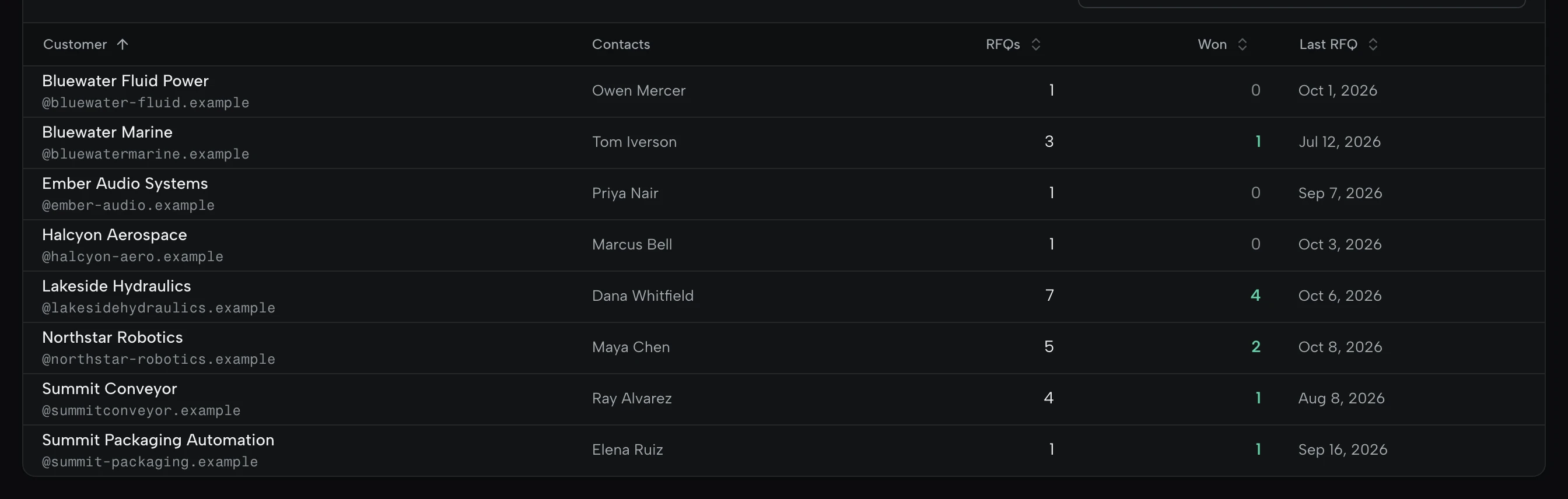
Each customer with their contacts, RFQs, wins and last request, and their terms on one page.
Everyone who quotes, what you quoted before, and all of it to take with you.
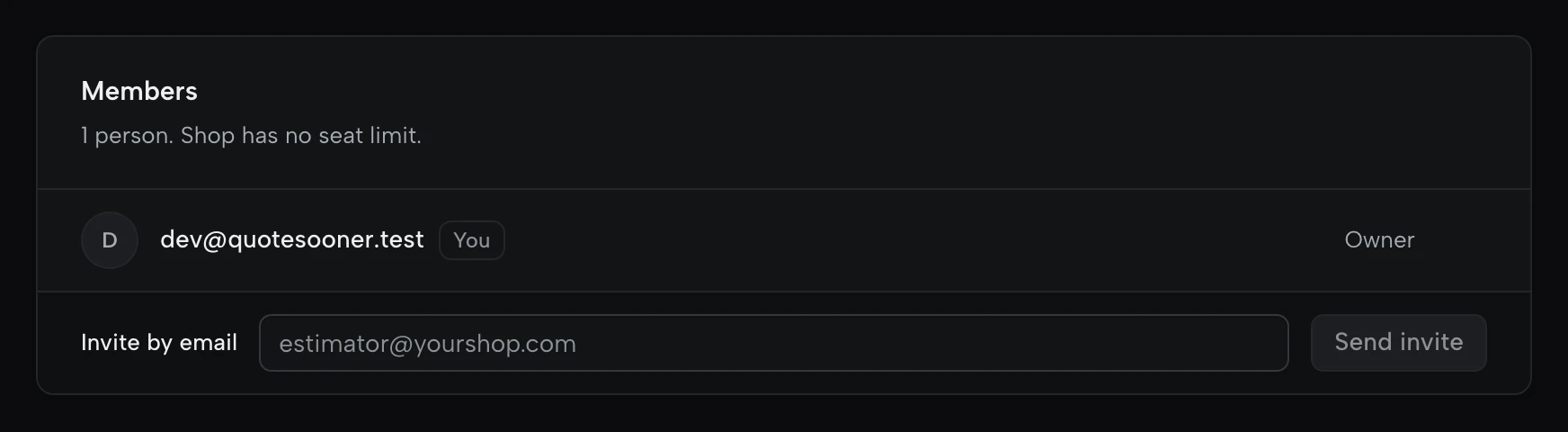
Invite the people who quote. Shop has no seat charges and no seat minimum; Free is one user.
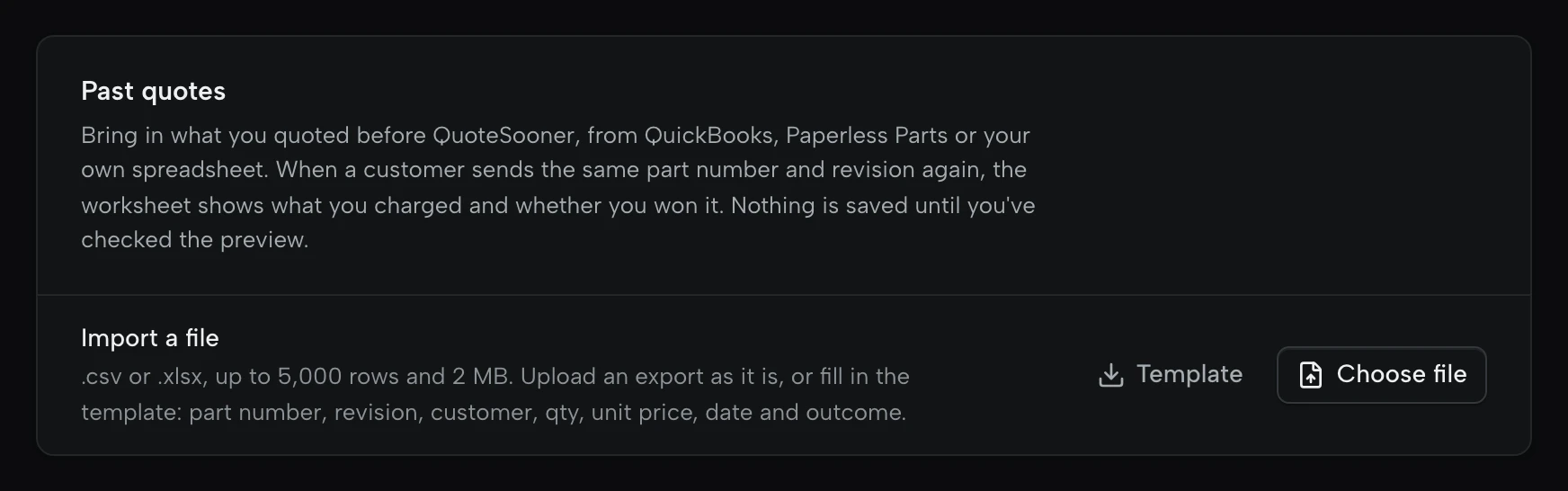
Import what you quoted before from QuickBooks, Paperless Parts or a spreadsheet, so repeat parts open with their history. Nothing is saved until you’ve checked the preview.

Every RFQ, quote and outcome, with prices broken into material, setup, run, finishing and margin, plus a manifest of what was attached.
Free covers 5 production RFQs a month for one user. Shop adds every request and everyone in the shop, sending from your own Gmail or Outlook, the forwarding address and QuickBooks Online. Compare plans
Start on the sample request. No card, no customer drawings needed.