
Won quotes into QuickBooks.
On the Shop plan, a won quote posts to QuickBooks Online as an estimate or an invoice, once, and your customers stay one list. Nothing goes to QuickBooks until someone presses a button.
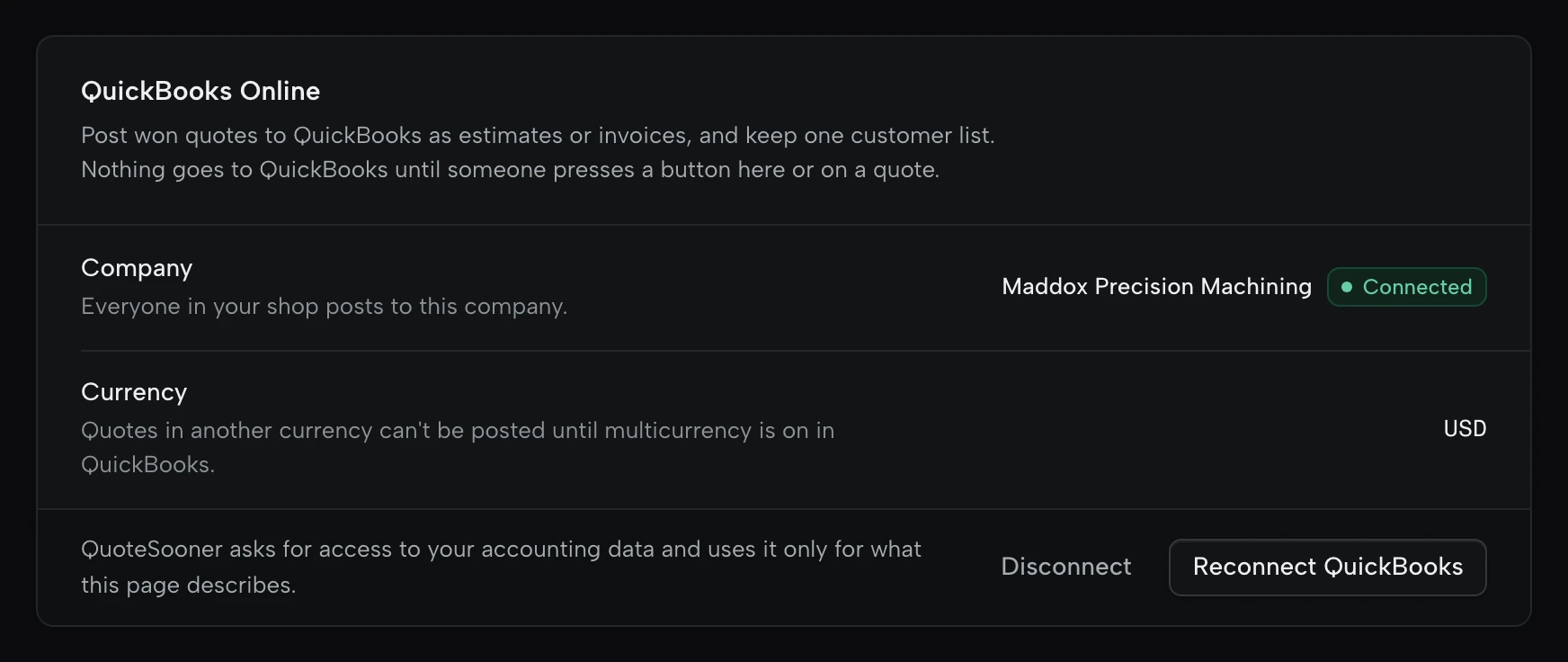
Connect your QuickBooks Online company.
- Who
- The shop owner connects, reconnects or disconnects. Everyone in the shop posts to the same company.
- What it reads
- The company’s name and currency, its items and tax codes, and its customers when you import them.
- When it writes
- Only when someone presses a button: Import customers in Settings, or Post on a won quote. Nothing syncs in the background.
- Currency
- A quote in another currency posts once multicurrency is on in QuickBooks.
Set it up
- In Settings, QuickBooks, press Connect QuickBooks and choose the company your shop invoices from.
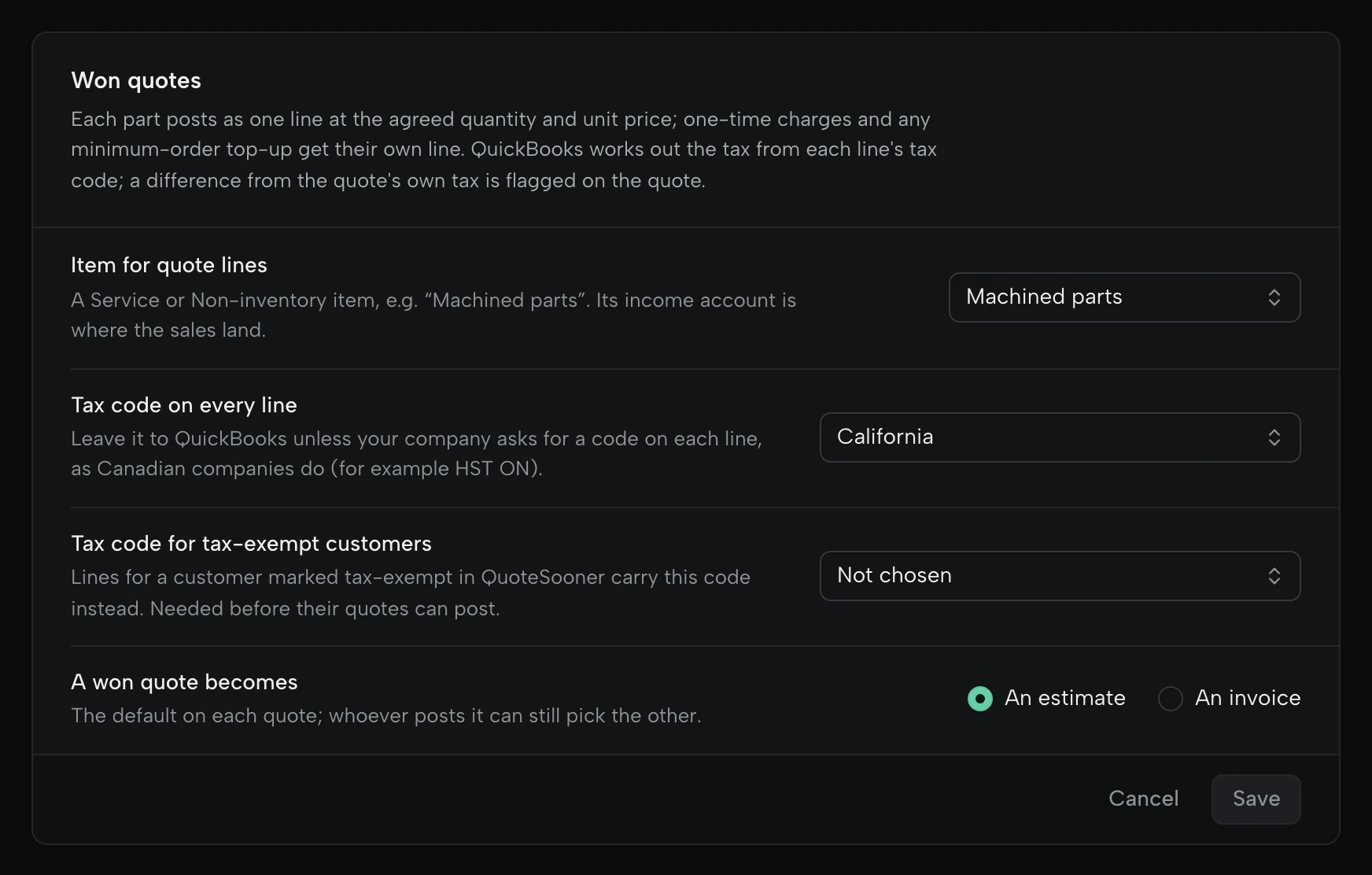
- Choose the item quote lines post to, such as a “Machined parts” service. Its income account is where the sales land.
- Choose the tax code for every line if your company needs one, as Canadian companies do, and the code for tax-exempt customers.
One customer list.
- Matching
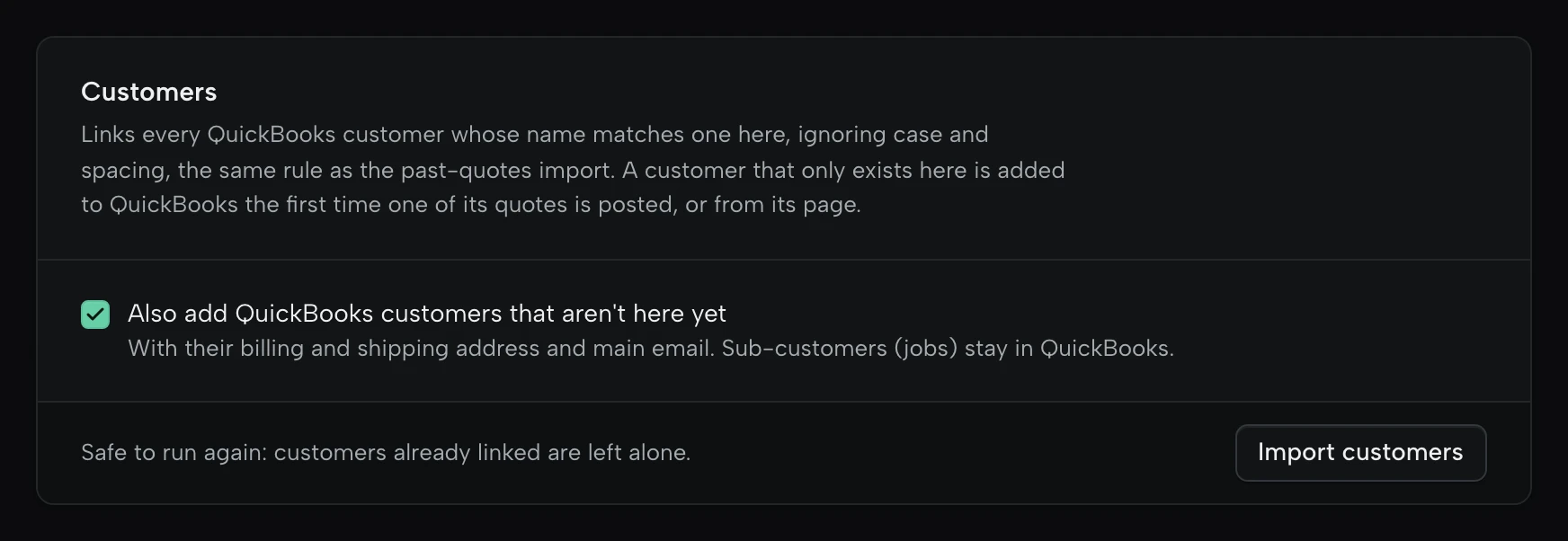
- QuickBooks customers are linked by name, ignoring case and spacing: the display name first, then the company name. The same rule as the past-quotes import.
- Adding
- If you choose, QuickBooks customers that aren’t in QuoteSooner yet come across with their billing and shipping address and main email.
- Left alone
- Sub-customers (jobs) and inactive customers stay in QuickBooks. Customers already linked aren’t touched, so it’s safe to run again.
- The other way
- A customer that only exists in QuoteSooner is added to QuickBooks the first time one of its quotes posts, or from its page.
Bring them across
- In Settings, QuickBooks, choose whether to add customers that aren’t in QuoteSooner yet.
- Press Import customers. Linked customers show Open in QuickBooks on their page.
Post a won quote, once.
- What posts
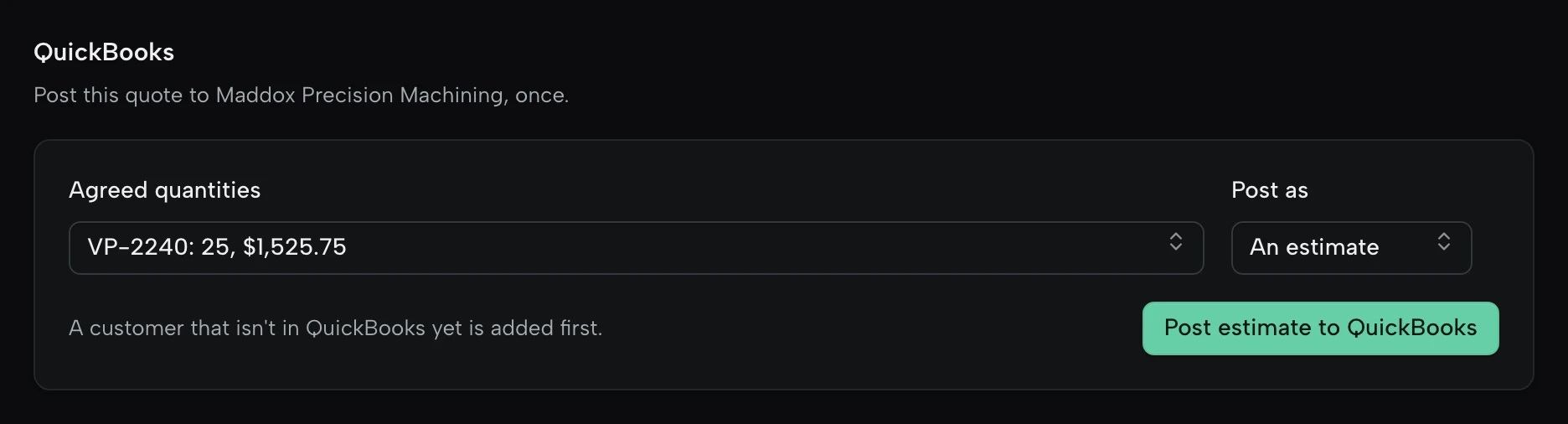
- An estimate or an invoice. The owner sets the default; whoever posts can pick the other.
- The lines
- One line per part at the agreed quantity and unit price. One-time charges, a faster lead time’s markup and any minimum-order top-up get lines of their own.
- Tax
- QuickBooks works out the tax from each line’s tax code. If it comes to a different amount than the quote states, the quote says so.
- Once
- A quote posts one document. A retry after a dropped connection doesn’t make a second one.
- The number
- With custom transaction numbers on in QuickBooks, the document carries the quote’s number.
On a won quote
- Pick the quantities the buyer agreed and whether it posts as an estimate or an invoice.
- Press Post. The customer is added to QuickBooks first if it isn’t there yet.
- Open the document in QuickBooks from the quote.

What stays where it is.
What a bookkeeper asks about first.
- Nothing runs on a schedule
- QuoteSooner writes to QuickBooks only when a person presses Import customers or Post.
- Payments stay in QuickBooks
- Invoices, payments and balances aren’t read back. What happens after posting is QuickBooks’ business.
- Your item list stays yours
- Items aren’t imported or changed. Every quote line posts to the one item you choose.
- The connection is sealed
- QuickBooks’ access tokens are stored encrypted, in a table nobody in the shop can read.
- Disconnect any time
- The owner disconnects from Settings, which revokes QuoteSooner’s access. Documents already posted stay in QuickBooks.
- Past quotes come with you
- Import what you quoted before from a QuickBooks export, so repeat parts open with their history.
Questions about QuickBooks.
Plans, people, tax. Compare plans
Does it work with QuickBooks Desktop?
No. QuickBooks Online only.
Which plan has it?
Shop. Importing past quotes from a QuickBooks export works on both plans.
Can our bookkeeper or accountant use it?
Invite them to the shop; Shop has no seat charges. Anyone in the shop can post a won quote. Only the owner can connect, disconnect, import customers or change what quotes post as.
Does it work for Canadian companies?
Yes. Choose the tax code each line carries, such as HST ON, and the code for tax-exempt customers. QuickBooks works out the tax.
What if a customer’s name is different in QuickBooks?
Import won’t link it. The first time one of its quotes posts, QuoteSooner adds it to QuickBooks under the name it has here, unless QuickBooks already has that name.
Quote the next RFQ in your inbox.
Start on the sample request. No card, no customer drawings needed.